
Tesla Share
The Tesla app feature that safely allows Tesla owners to share their car with friends, family, technicians, valet, and more without the use of a key card
Tesla,Inc.
is a leading electric vehicle and clean energy company, founded by Elon Musk. The company's mission is “to accelerate the world's transition to sustainable energy through increasingly affordable electric vehicles in addition to renewable energy generation and storage.” Tesla's mobile app allows owners to monitor and control their vehicles remotely, providing features such as real-time location tracking, climate control, and software updates.
Problem
Tesla is constantly evolving and adding features to stay ahead of other car companies and meet customer’s expectations. While Tesla has created a keyless car entry, they have not adapted a way for owner’s to share their car without a key.
Focus
Create a mobile app feature that allows Tesla owners to grant temporary access to users who need to drive their car.
Solution
In order to give Tesla owner’s comfort when handing over their vehicle, they will be able to track and monitor status of the driver all from their mobile app.
Design Process
-
User Inteviews
Competitive Analysis
-
User Persona
Brainstorming
-
Key Features
User Flows
Information Architecture
-
Low Fidelity Sketches
Visual Design
Wireframes
-
Prototype
Usability Test
Design Revisions
8 Weeks
Student Project with Design Lab





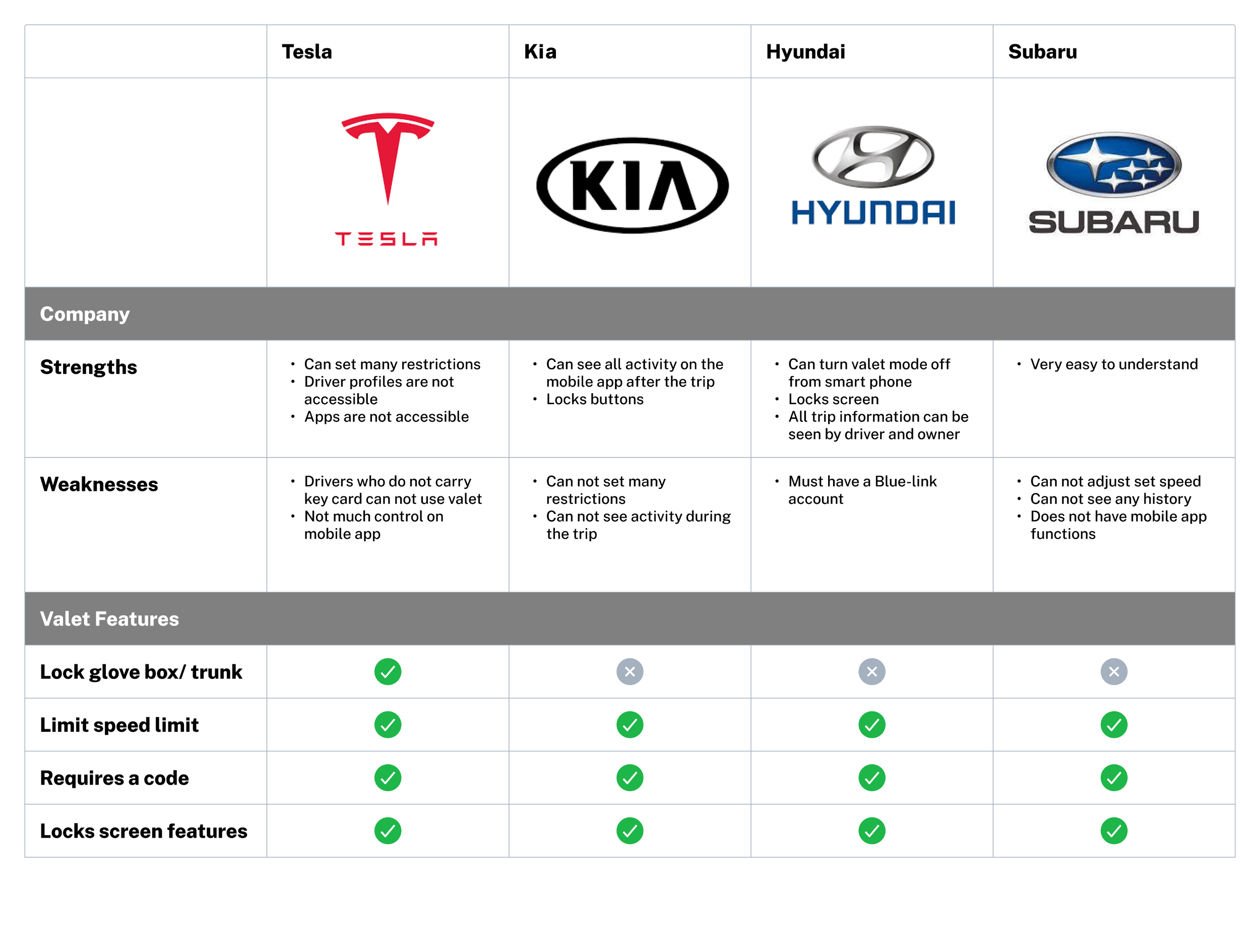
Competitive Analysis
Findings
Many car companies have incorporated a type of valet feature within their cars (electric and gas). However valet is the limit of this feature. Some cars give owners a brief summary after another user finishes using the vehicle but none of them can be tracked during usage.
User Interviews
5
Phone interviews
Users who own Teslas
Users who are familiar with the Tesla mobile app
-
![]()
“It would be nice to also be able to use it (Valet Mode) for non-valet, like servicing as well or give permission for someone else to drive."
Marie N.
-
![]()
“I do not carry my Tesla key card, I did not even know where it was before yesterday
Stephen S.
-
![]()
"I like that it is a constant evolving platform that traditional cars do not give you. There are always new features or updates of features."
Emily C.



App Usage
All users use Tesla app daily for multiple features
Most users use keyless entry with mobile app and do not carry a key card
Users expressed appreciation to view their car’s information without getting into vehicle ie. battery life, miles, tire pressure, and more
Interview Debrief
Valet/Car Sharing
Most users have never heard of Tesla’s “Valet Mode” and do not know the extent of it’s features
Users expressed an interest in the Valet Mode’s settings and restrictions
Some complaints about trying to valet vehicle but not carrying a key card
Personas
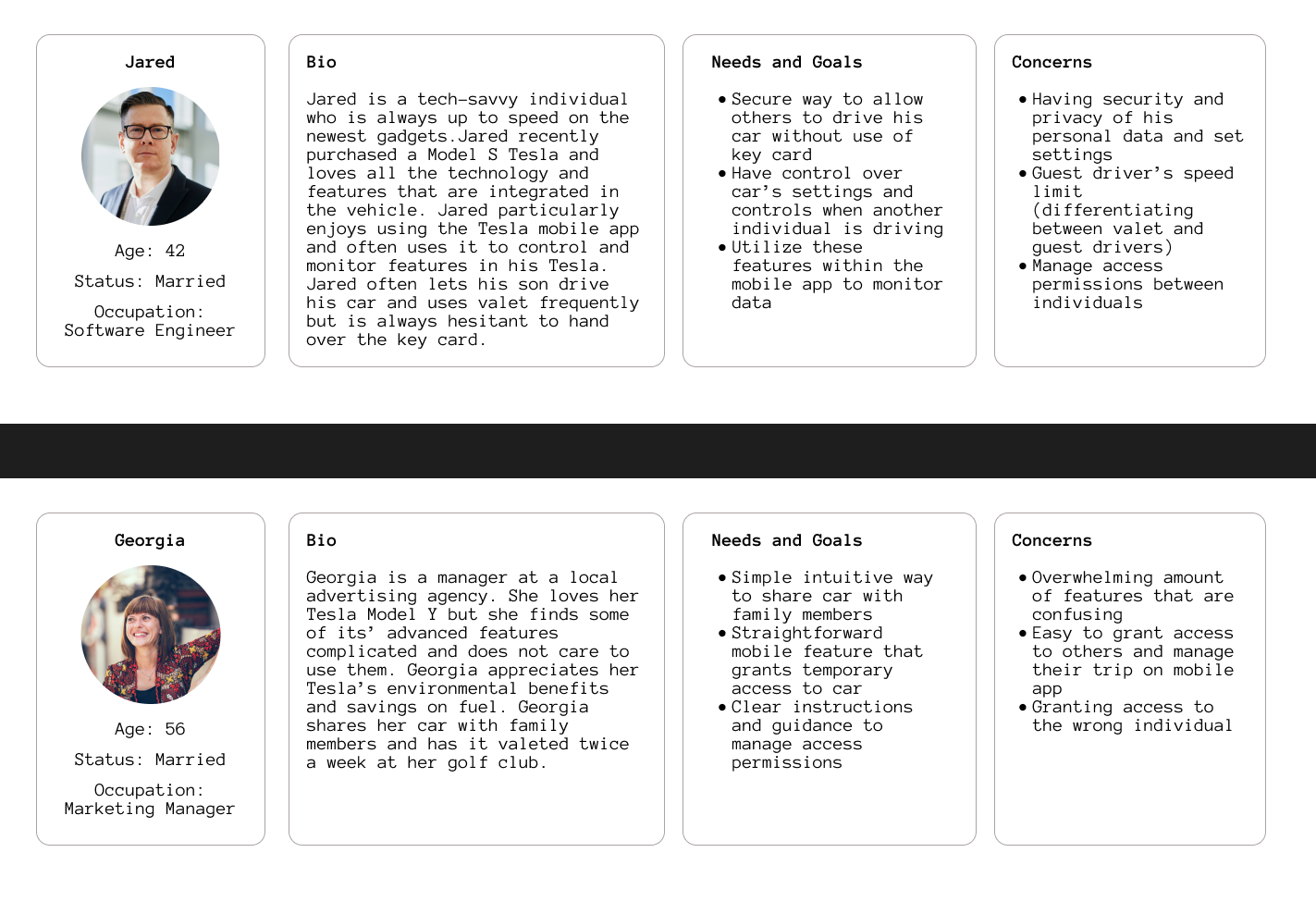
Synthesizing Research
Pain Points
Stressful handing over personal vehicle to others
Having privacy of personal information in vehicle
Forgetting key card
Managing usage of car
Takeaways
Identify and validate the temporary driver
Access transferred to driver
Remove access from driver
Real-time car status dashboard
Alerts and notifications
Guest mode constraint settings
Messages
Tesla Share
Add multiple temporary drivers
Owner can set specific settings for each driver
Owner can monitor driver and car status
Owner has option to intervene and send messages to driver
User Flows
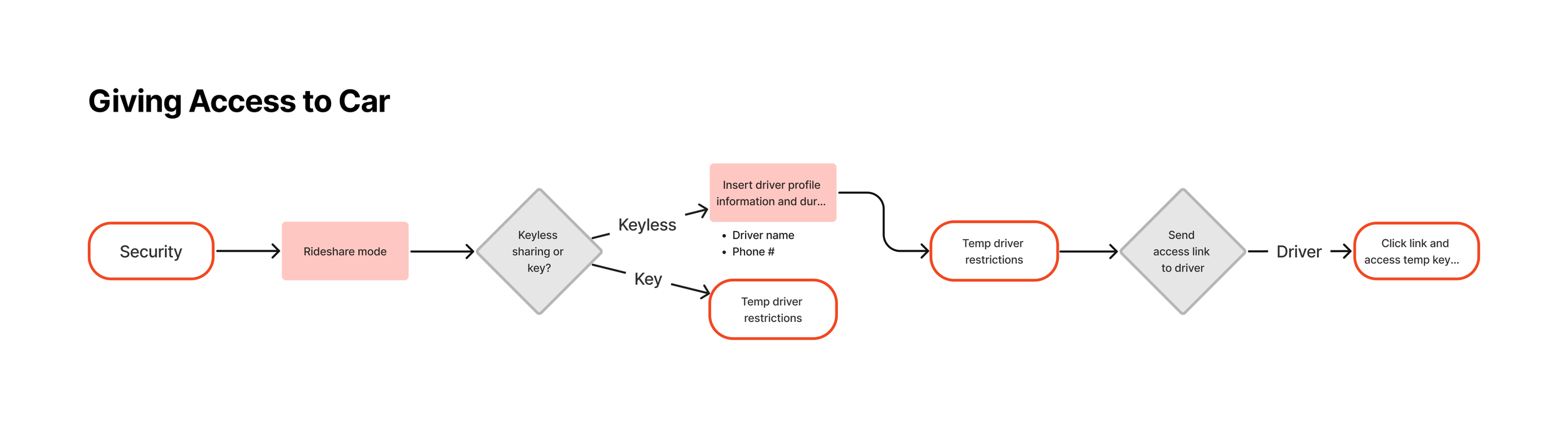
This tool allows Tesla owners to create a profile for temporary drivers and send them specific access
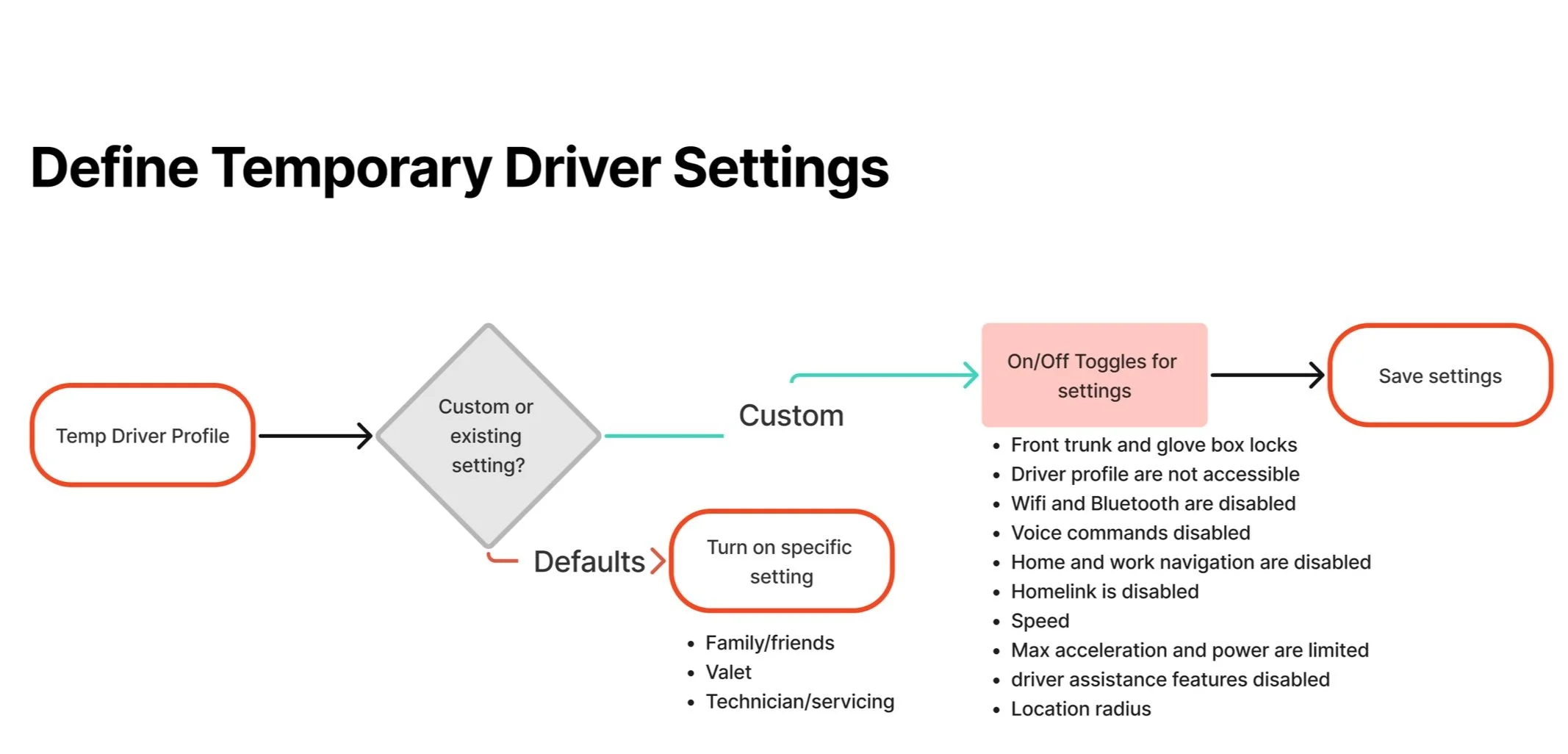
Once a driver has began creating a profile for a temporary driver they must set specific settings in order to save the driver
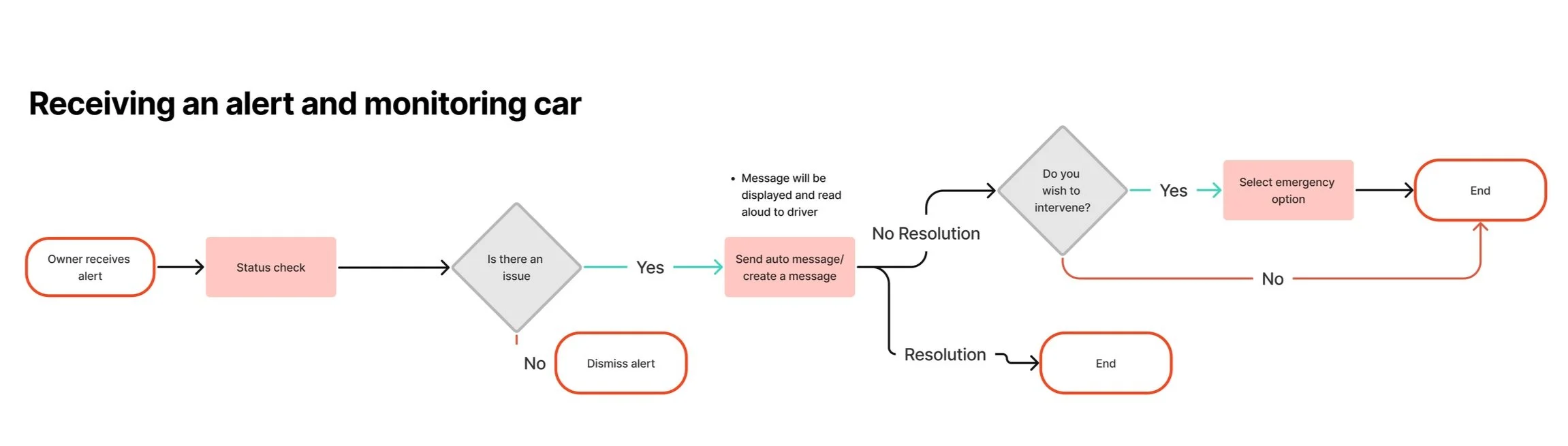
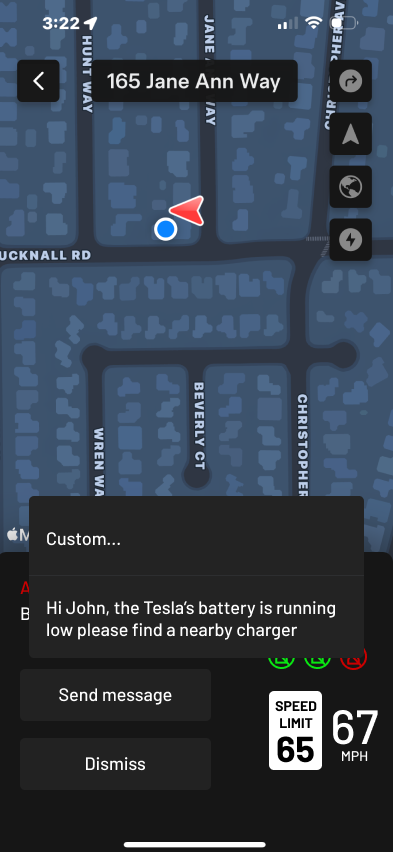
Incase of emergency, the Tesla owner has the ability to send the driver a message through the car and/or end their access
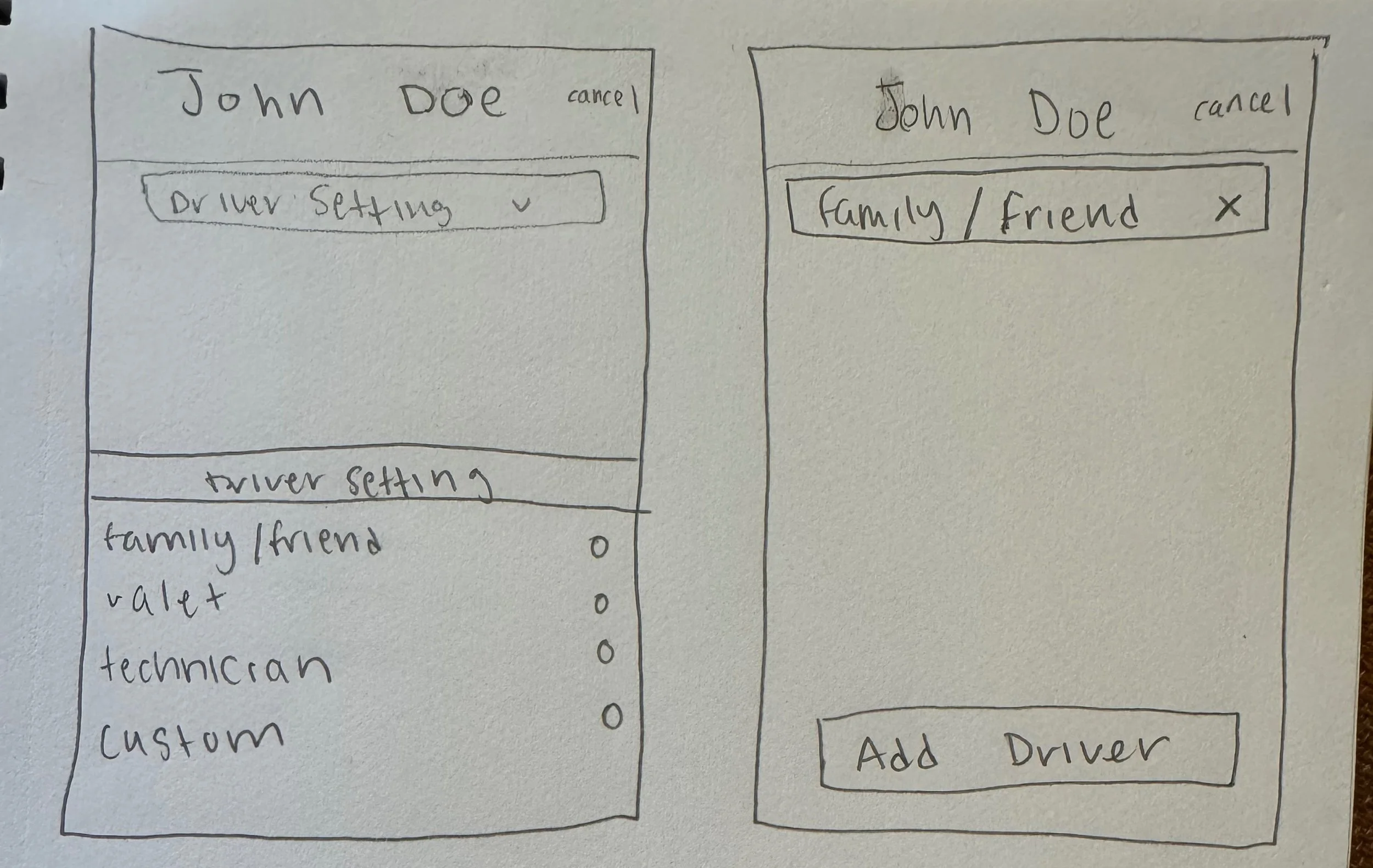
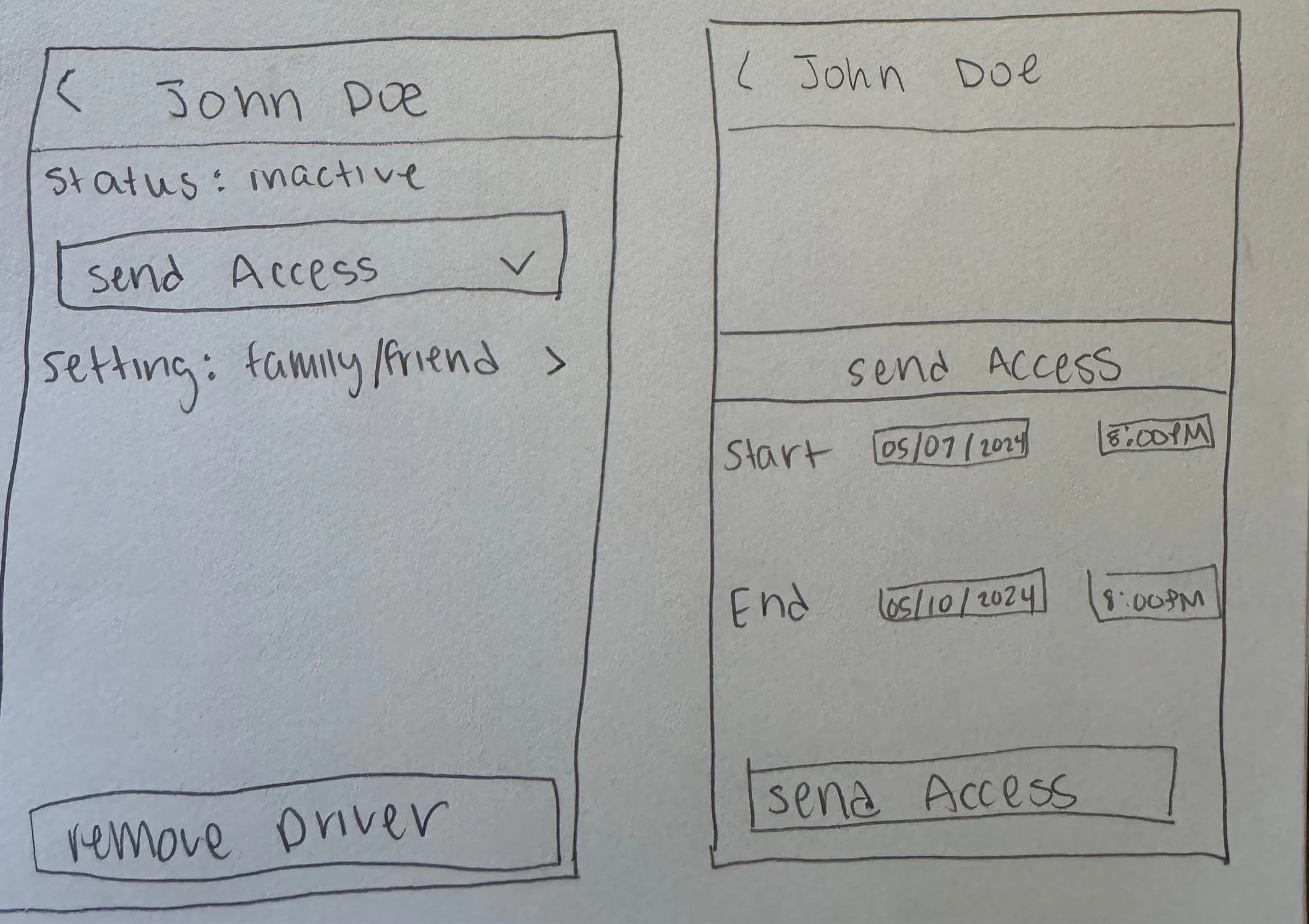
Low-Fidelity Wireframes

Low Fidelity Testing
Wireframes and tasks made sense to users
Tesla’s UI was recognized in wireframes
Questioned what information could be viewed while vehicle is parked
Users liked the different setting options
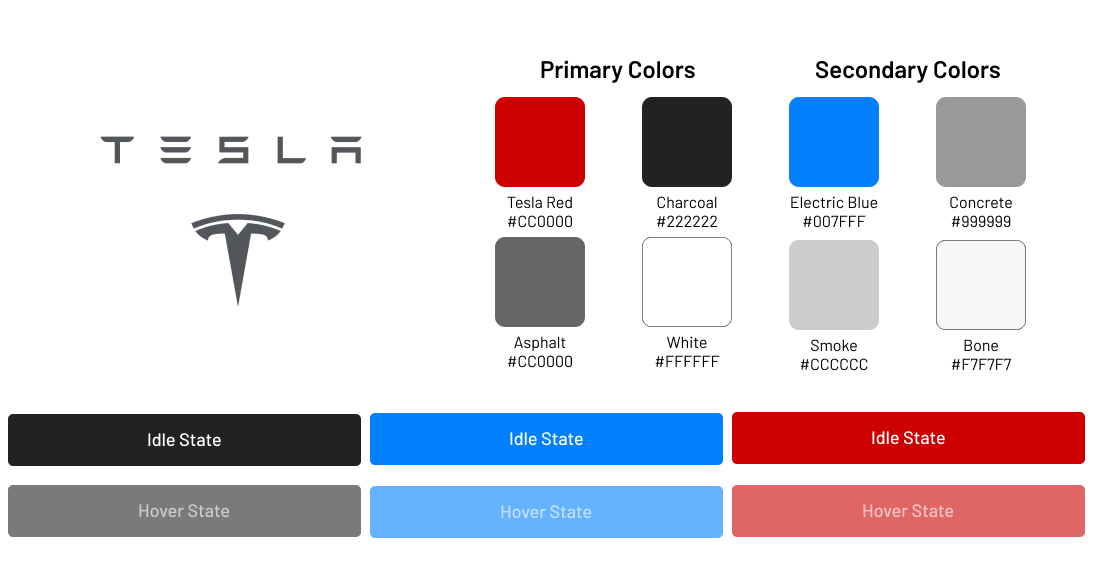
Style Tile
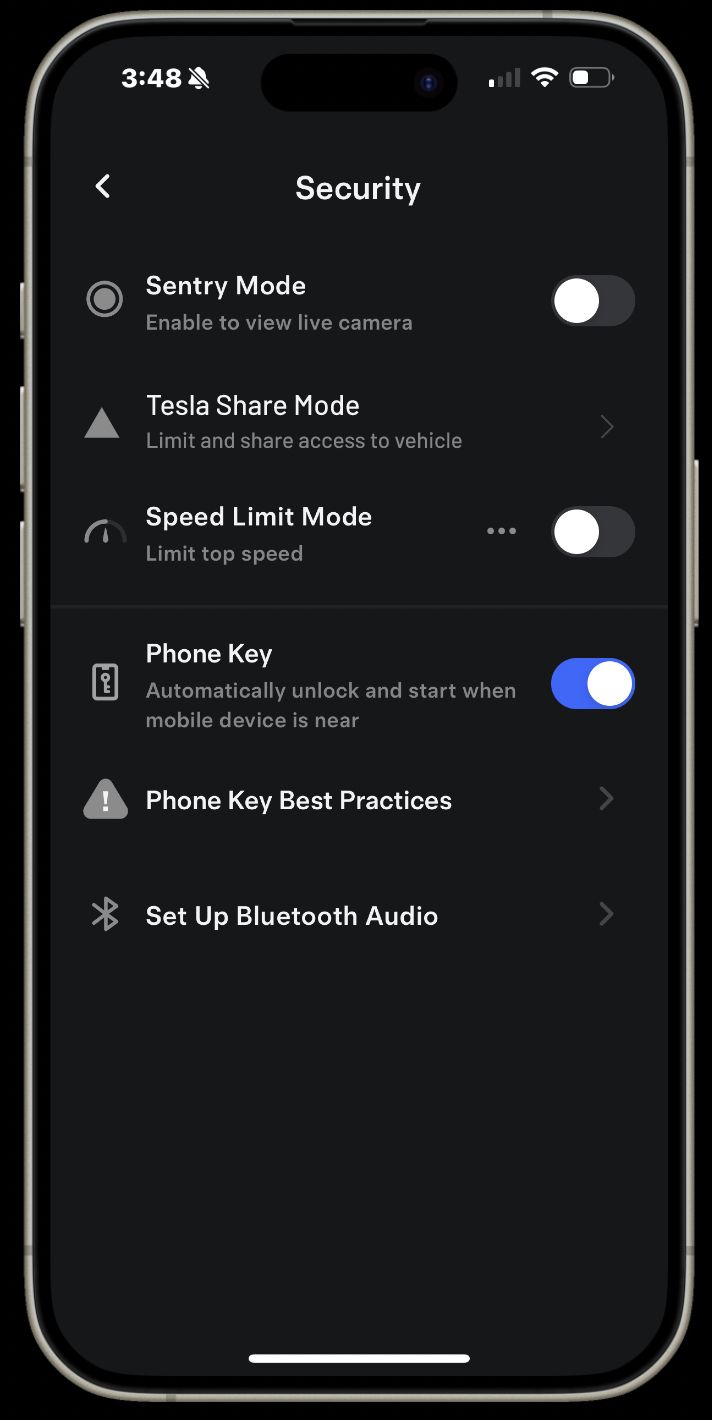
High-Fidelity Prototype
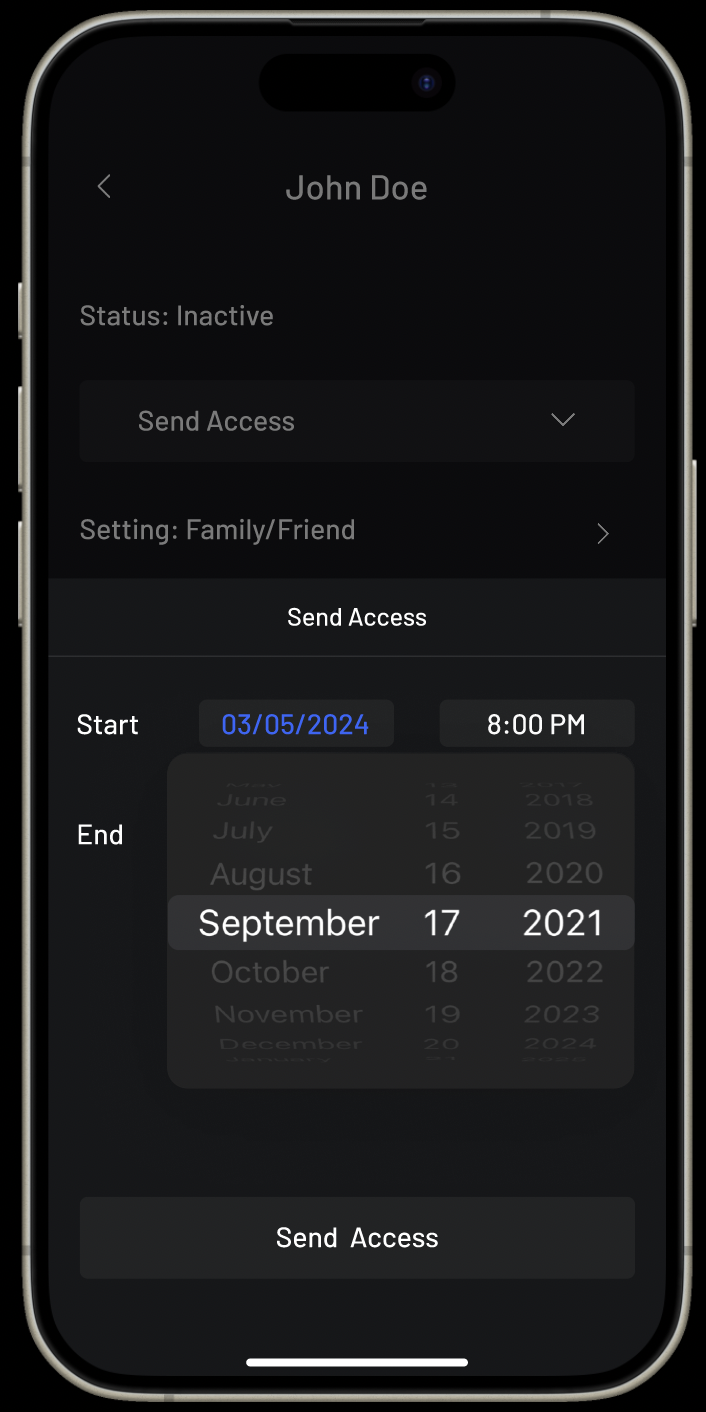
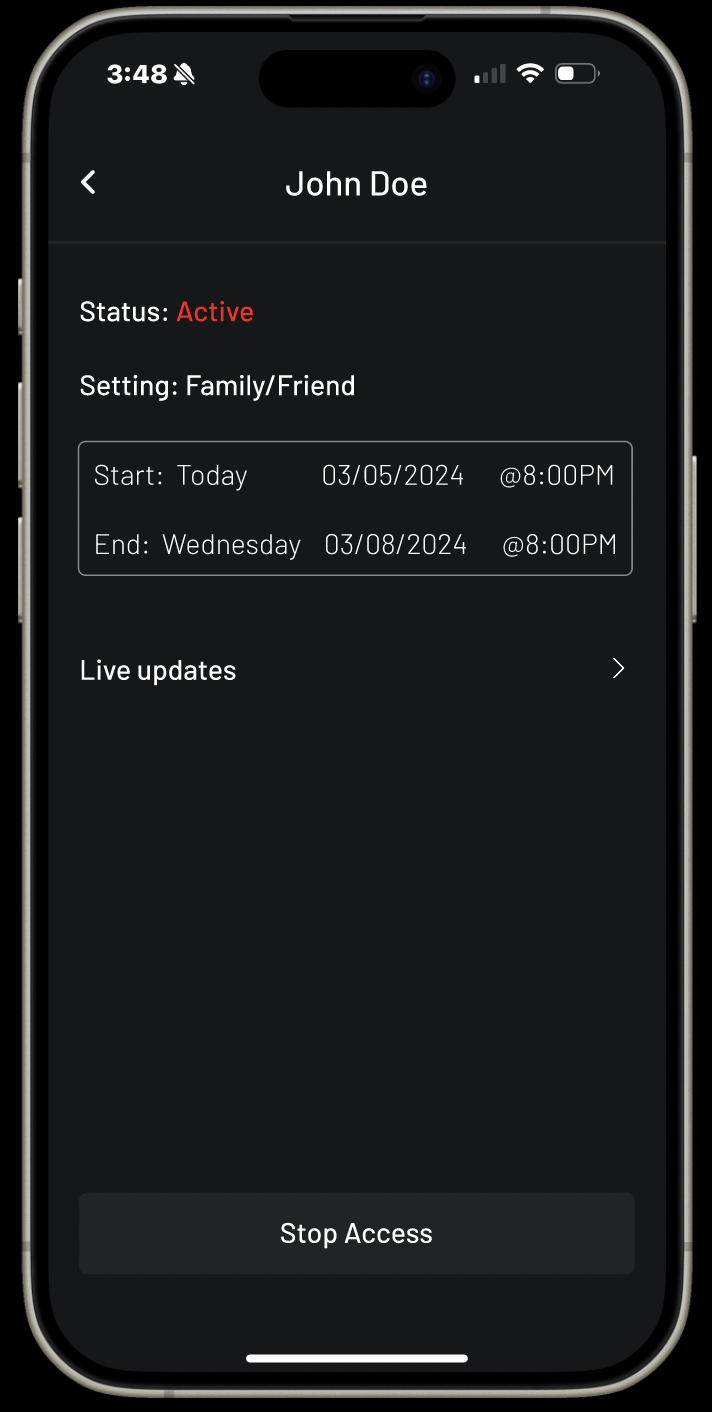
Select exact time and dates before sending access to your vehicle
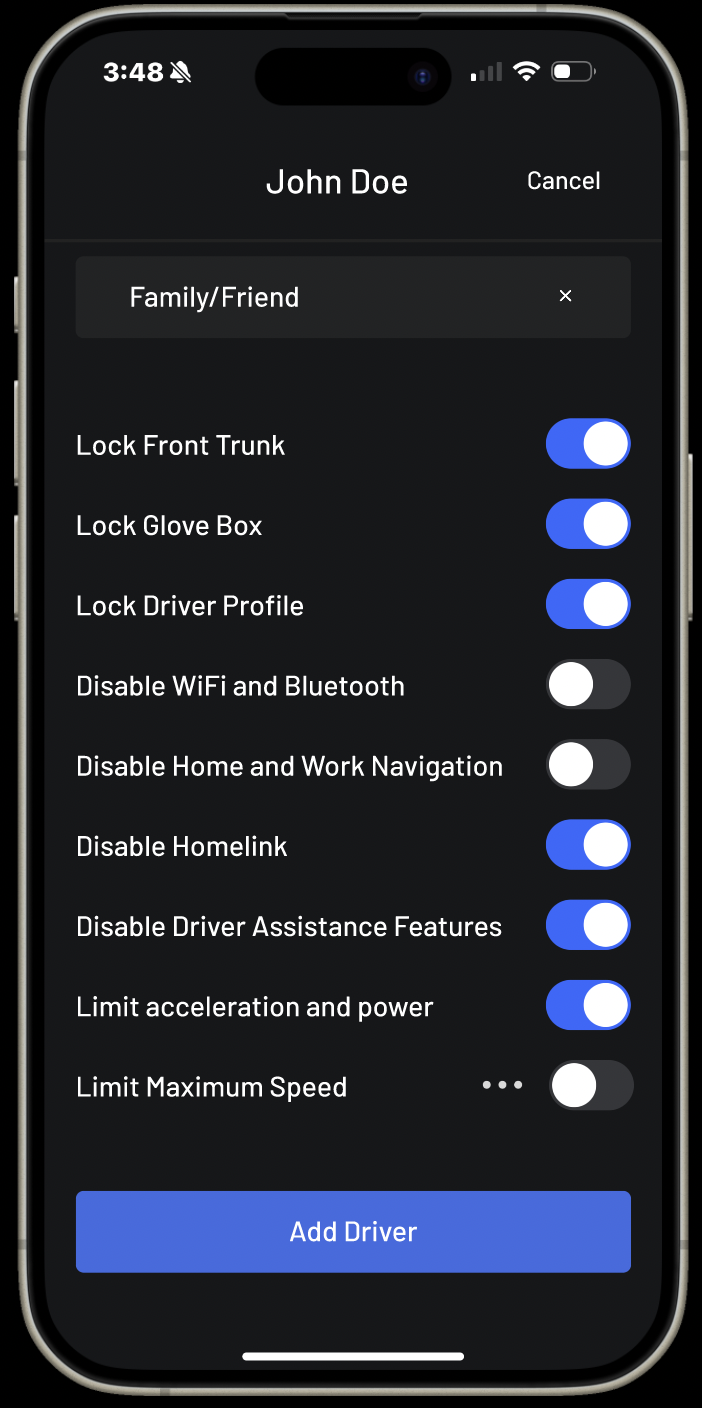
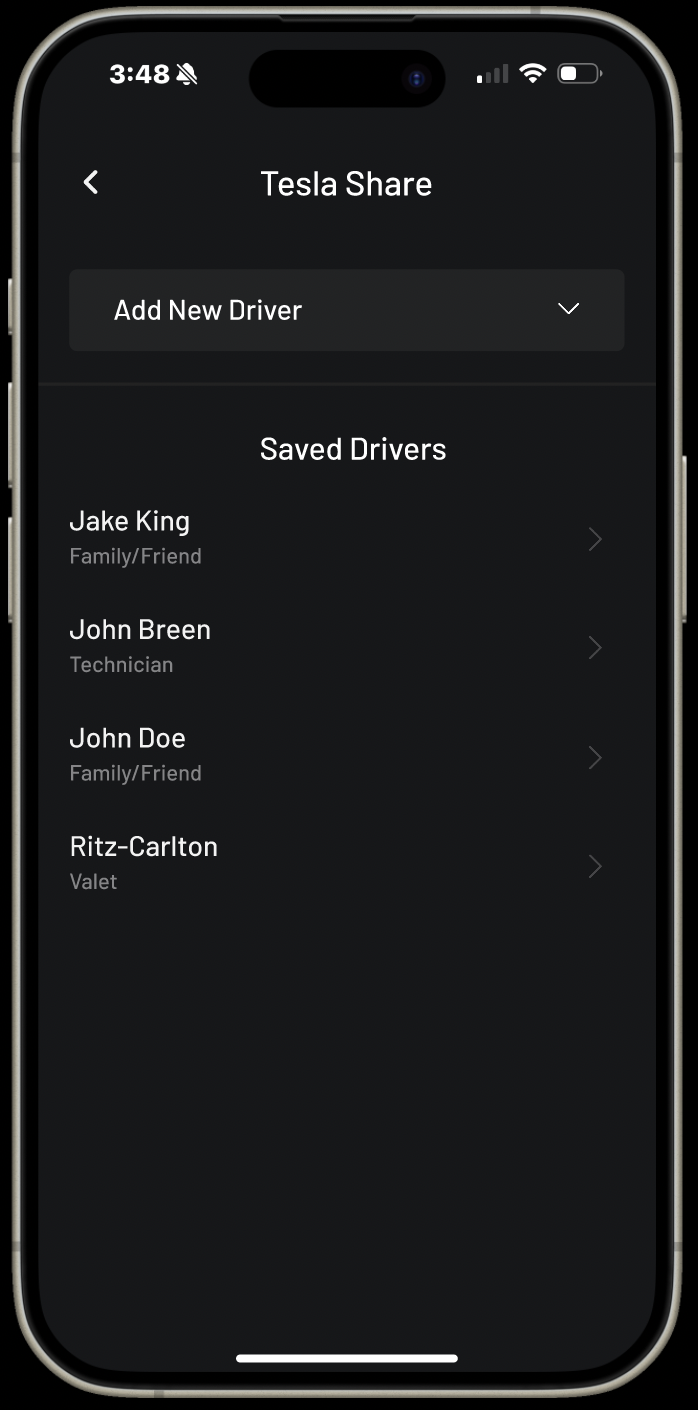
Create unique driver profiles for friends or family
Watch and receive live updates from your temporary drive
Easily access previously saved drivers
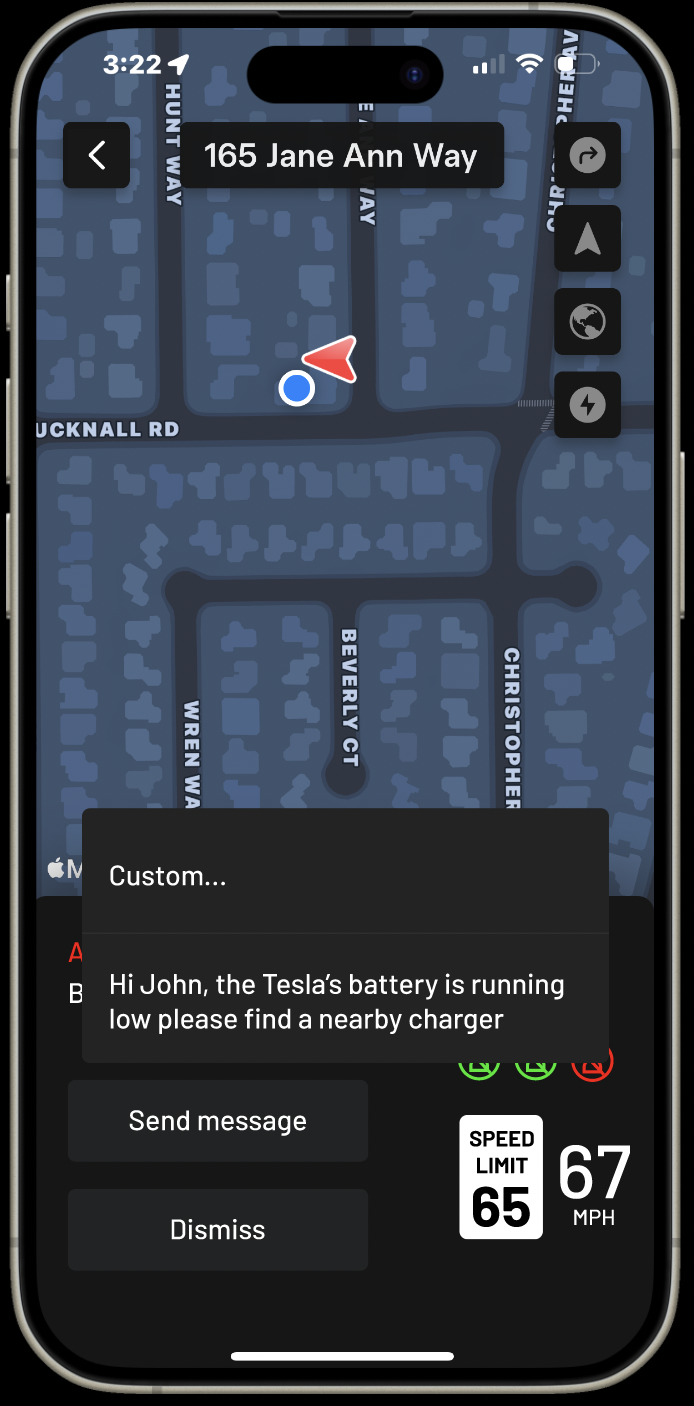
Send messages directly to the car’s screen from your phone
Usability Testing Results
Findings
Users had an easy time navigating through the prototype
Users found similarities between Tesla application and the prototype
There were a couple prototype connection issues
Users asked for an automated message choice when asked to respond to an alert
Users enjoyed the feature and hope to see something similar in the future
Revisions
Fixed connection issues in prototype
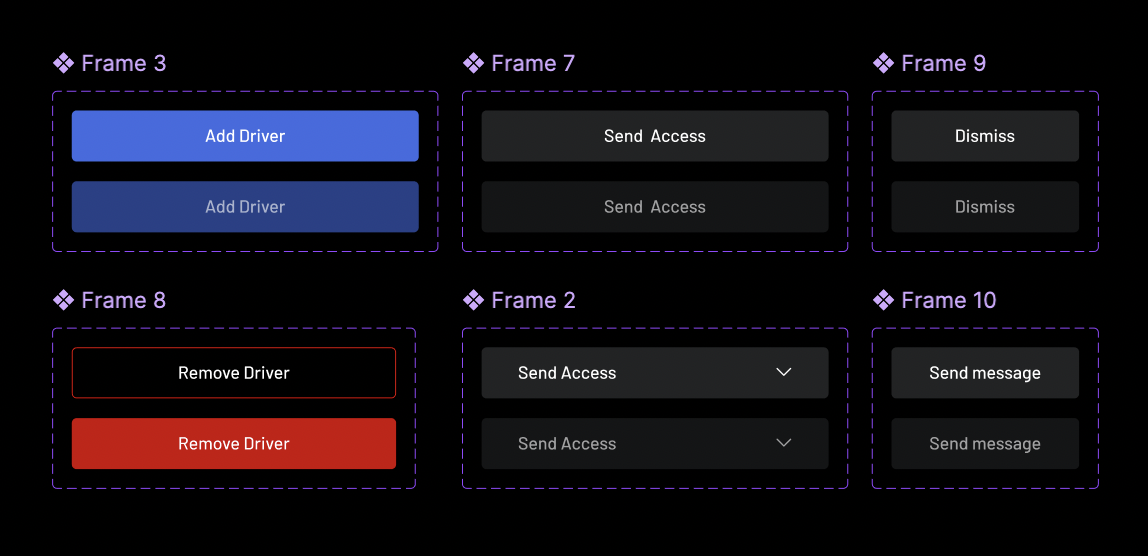
Adjusted the prototype to be more interactive by adding color changing buttons when pressed
Added an automation message choice for users when receiving an alert
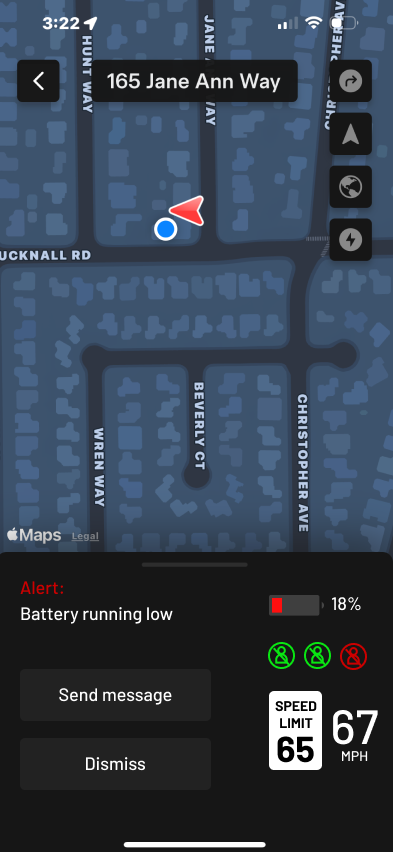
Tesla Share:Final Design
Task #1: Add a new temporary driver
Task #2: Send temporary access to driver
Receive an alert and send a message to temporary driver